---
title: How to View Exhibitor Team Calendar on the Exhibitor Portal
description: The Team Calendar in the Exhibitor Portal allows exhibitors to view all meetings scheduled for their booth team in one centralized place. This includes meetings booked for individual team members as well as meetings scheduled with attendees or other users
---
[Skip to content](https://help.vfairs.com/exhibitors/how-to-view-exhibitor-team-calendar-on-the-exhibitor-portal#main-content)
English
Show submenu for translations
Open main navigation
Close main navigation
- English
Show submenu for translations
How can we help you?
- There are no suggestions because the search field is empty.
1. [Exhibitor Knowledge Base](https://help.vfairs.com/exhibitors?hsLang=en)
2. [Meetings](https://help.vfairs.com/exhibitors/meetings?hsLang=en)
# How to View Exhibitor Team Calendar on the Exhibitor Portal
## The Team Calendar in the Exhibitor Portal allows exhibitors to view all meetings scheduled for their booth team in one centralized place. This includes meetings booked for individual team members as well as meetings scheduled with attendees or other users
### **Enabling Meetings for Exhibitor Portal**
To enable the **Meetings** module on the Exhibitor Portal:
1. Go to the **Event Setup** on the backend.
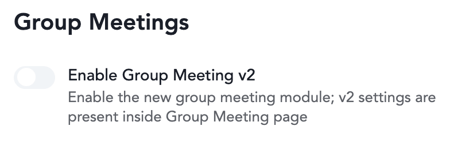
2. Ensure that the **New Group Meeting** feature is **enabled** for the event.
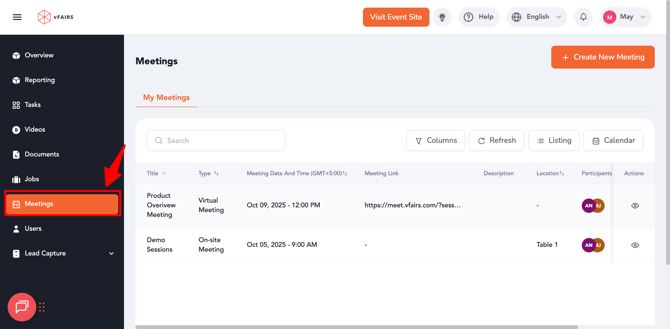
3. Once enabled, the **Meetings** menu will automatically appear for both **Booth Admins** and **Booth Representatives** in their Exhibitor Portal.
**Note:** Access to the Meetings module can also be managed through **RBAC (Role-Based Access Control)** at the organization level.
### **Using the Meetings Module (Exhibitor Portal)**
Once the feature is enabled, exhibitors can perform the following actions from their portal:
#### **How to View the Team Calendar (Exhibitor Portal)**
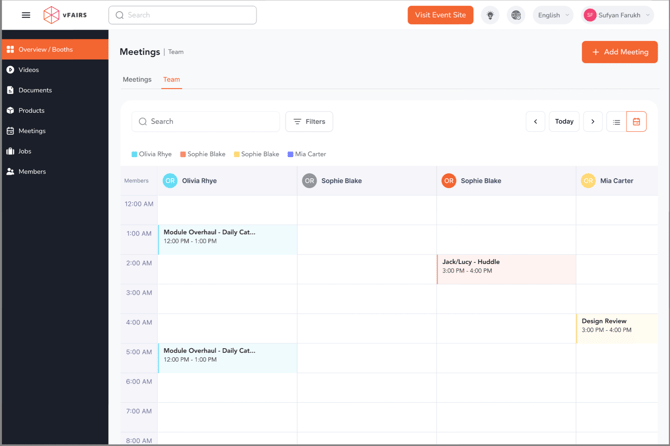
1. Open the **Team Calendar** tab.
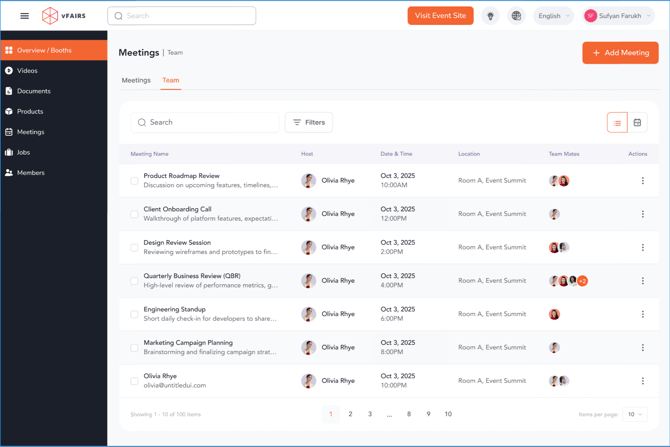
- All meetings scheduled for **booth team members**.
- Meetings booked **with or for any team member**.
- Individual and group meetings displayed in a unified calendar view.
- Real-time visibility into team availability to avoid scheduling conflicts.
- [Overview/Exhibitor Dashboard](https://help.vfairs.com/exhibitors/overview-exhibitor-dashboard?hsLang=en)
- [Configure Booth](https://help.vfairs.com/exhibitors/configure-booth?hsLang=en)
- [Attendee Discovery](https://help.vfairs.com/exhibitors/attendee-discovery?hsLang=en)
- [Tasks Management](https://help.vfairs.com/exhibitors/tasks-management?hsLang=en)
- [Team Members](https://help.vfairs.com/exhibitors/team-members?hsLang=en)
- [Meetings](https://help.vfairs.com/exhibitors/meetings?hsLang=en)
- [Lead Capture](https://help.vfairs.com/exhibitors/lead-capture?hsLang=en)
- [Trade Show](https://help.vfairs.com/exhibitors/trade-show?hsLang=en)
[.webp?width=107&height=44&name=vfairs-logo-landscape-gradient-5%20(3).webp "vfairs-logo-landscape-gradient-5 (3)")](http://vfairs.com)
vfairs.com Help Center
Copyright © 2026, vFairs LLC