Step 1: Log In to the Speaker Portal
Start by logging in through your event’s backend URL (for example: eventname.vfairs.com/backend).
Use your credentials to access the speaker portal.
Step 2: Review the Overview Dashboard
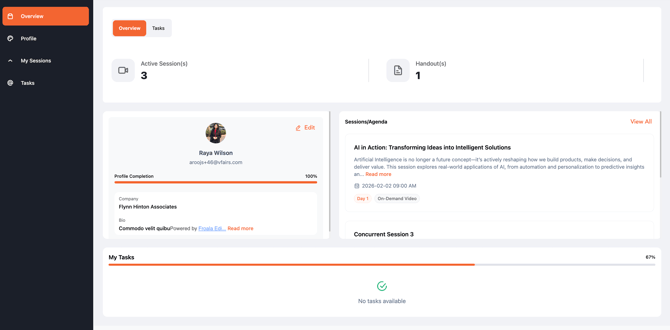
Once logged in, you’ll be redirected to the Overview page. This dashboard provides a quick snapshot of your activity, including:
- Number of assigned sessions
- Associated handouts
- Profile completion percentage
- Number of assigned tasks
Step 3: Update Your Profile
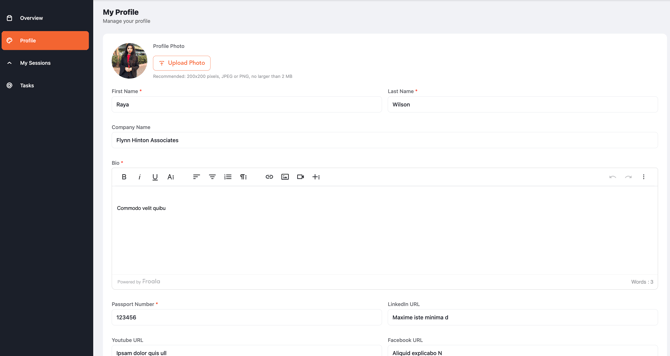
To update your details:
- Navigate to the Profile sub-menu.
- Fill in or edit the fields based on the speaker profile form provided.
- Save your changes to ensure your profile is up to date.
Step 4: Manage Your Sessions
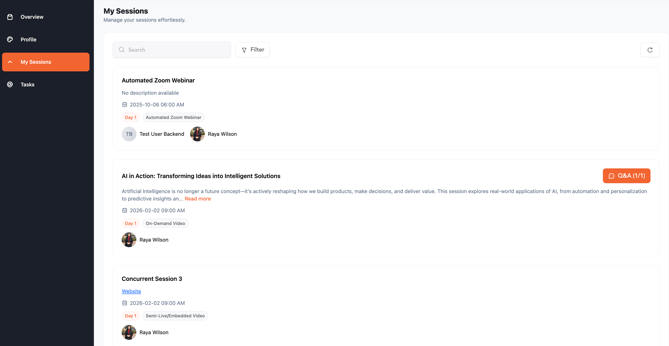
To view and manage your sessions:
- Click on the My Sessions sub-menu.
- You’ll see a list of all assigned sessions, including:
- Session title
- Session description
- Associated track
- Applied filters
- Start date and time
- Associated speakers
- Session Q&A
You can use the search and filter options to quickly find specific sessions.
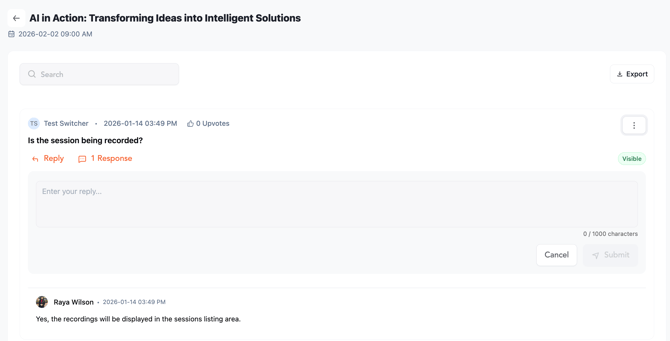
Note: You can moderate and respond to attendee questions directly through the session’s Q&A section within the portal.
Step 5: Track and Complete Tasks
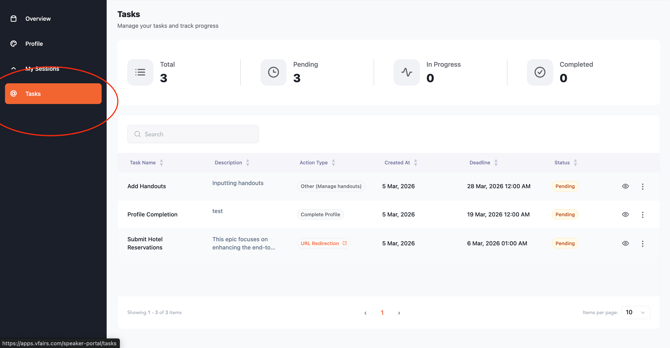
Next, go to the Tasks sub-menu to manage your assigned tasks. Here, you can:
- View task status, type, and deadlines
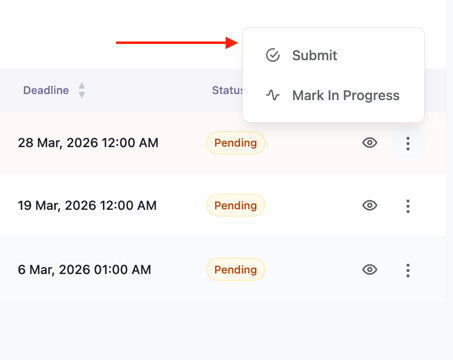
- Take necessary actions
- Mark tasks as completed once finished