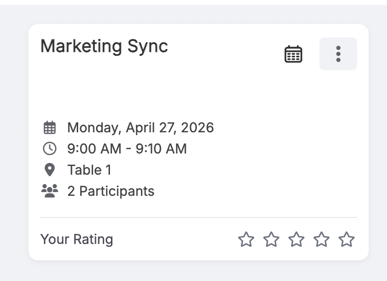
How Participants Can Rate Meetings
- Once a meeting is completed, participants will have the option to rate it.
- Ratings are provided on a scale of 1 to 5.
Key Points
- Each participant can submit their own rating independently.
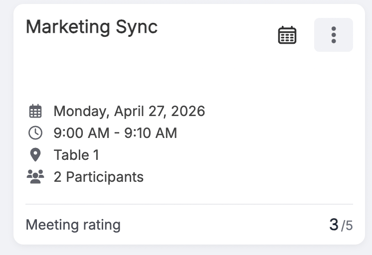
- A participant can rate a meeting only once.
- After submission, the rating cannot be edited or resubmitted.
How Organizers Can View Meeting Ratings
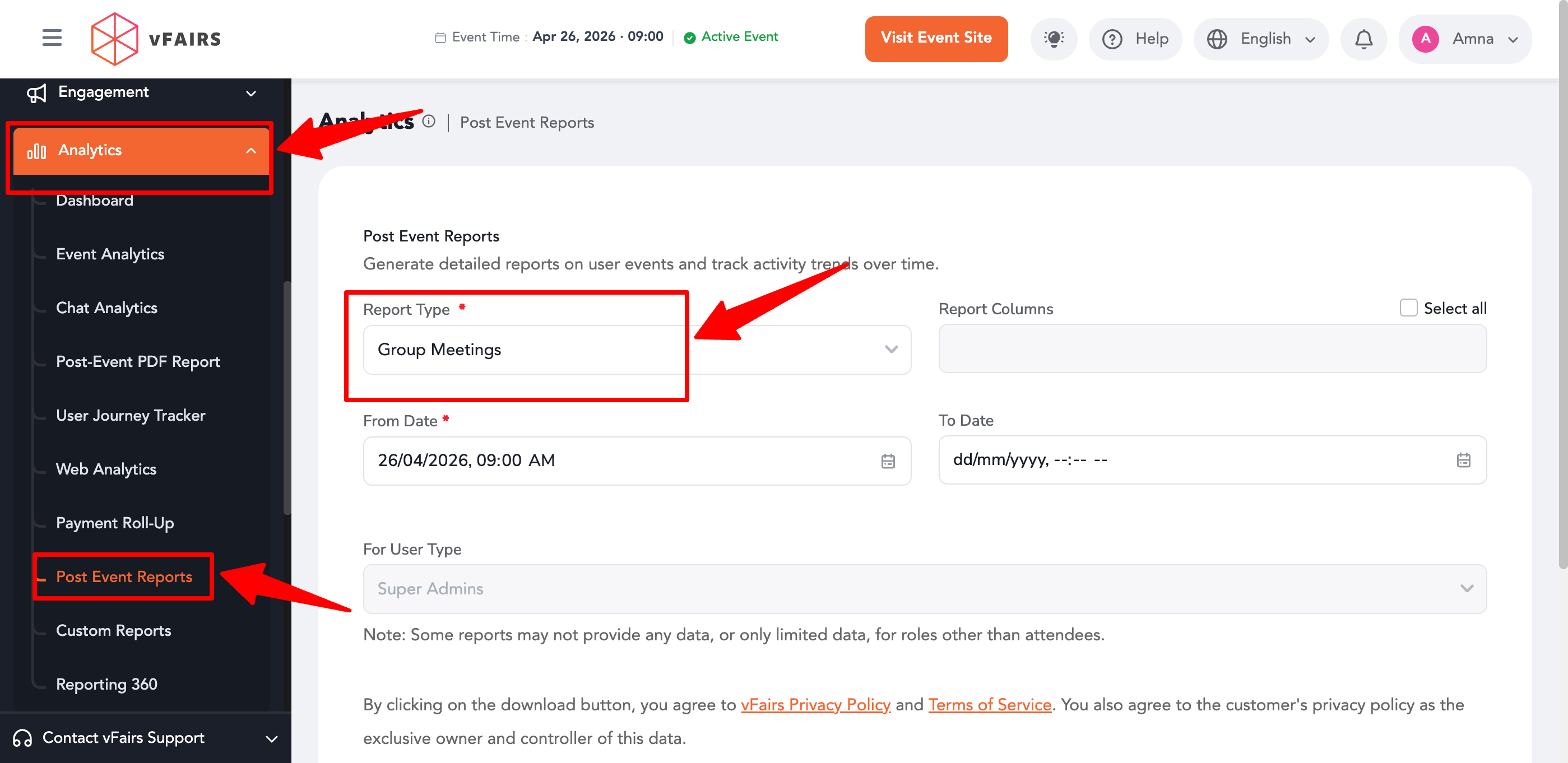
- Go to Event Backend.
- Navigate to Analytics → Post Event Reports.
- Select Group Meeting Report from the report dropdown.
- Generate the report.
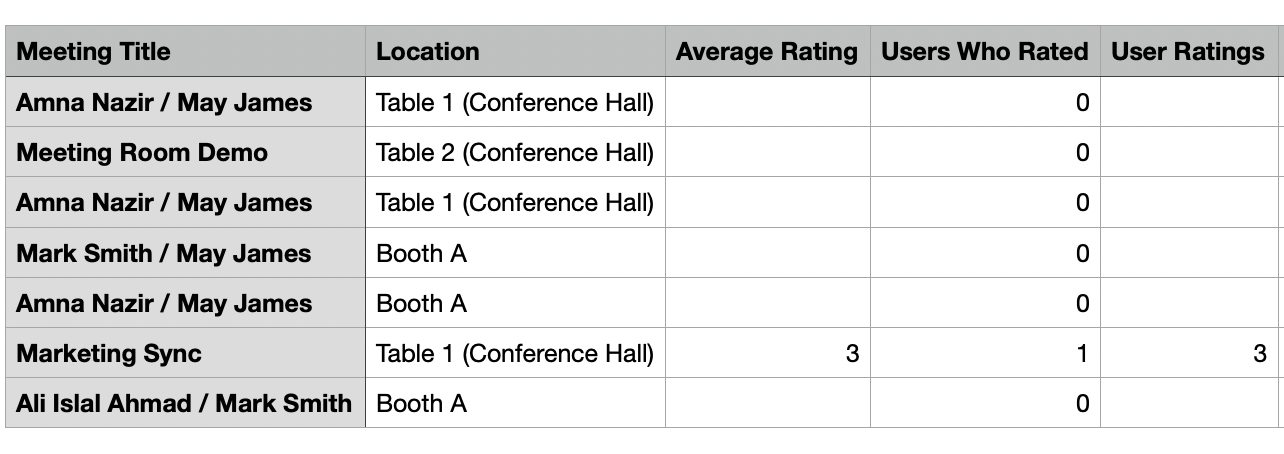
What Data is Available
In the Group Meeting Report, organizers can view:
- Aggregated Rating Score (overall meeting rating)
- Individual Ratings submitted by each participant