1. Navigate to the abstract reviewer login page, enter your Email and Password in the respective fields, and click the Log In button to access the reviewer portal.
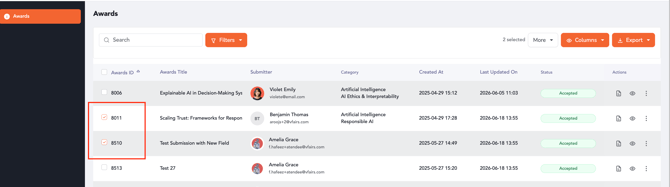
2. Upon entering the reviewer portal, select the checkboxes next to the abstract submissions you wish to review. You can select multiple submissions for a bulk action.
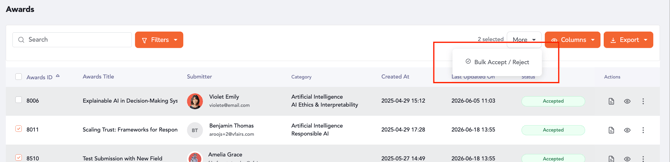
Note: For the "More" button to be activated, you need to ensure that at least two submissions are selected.
3. After selecting the submissions, click the More dropdown button and select Bulk Accept / Reject.
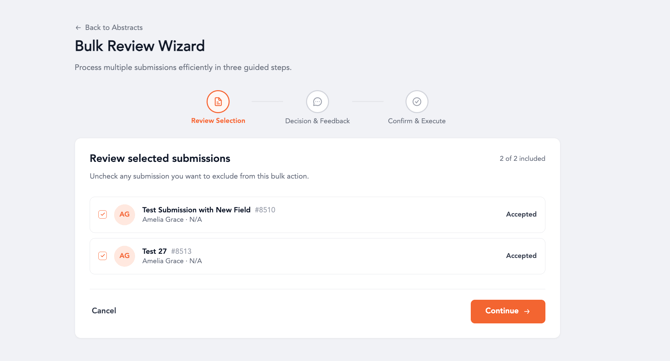
4. Review the selected submissions on the Review Selection step of the Bulk Review Wizard. You can uncheck any submission you wish to exclude from this bulk action.
Click Continue to proceed to the decision configuration.
5. On the Decision & Feedback step, choose a Decision Mode. You can select Same for all to apply one decision and feedback to all selected submissions.
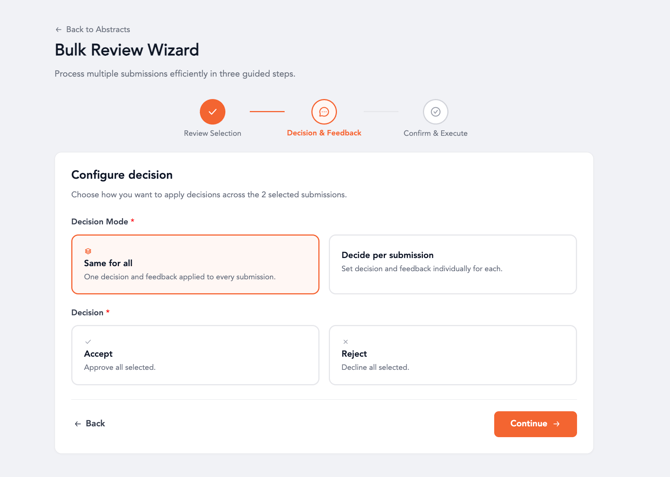
6. Alternatively, select Decide per submission to set individual decisions and feedback for each submission.
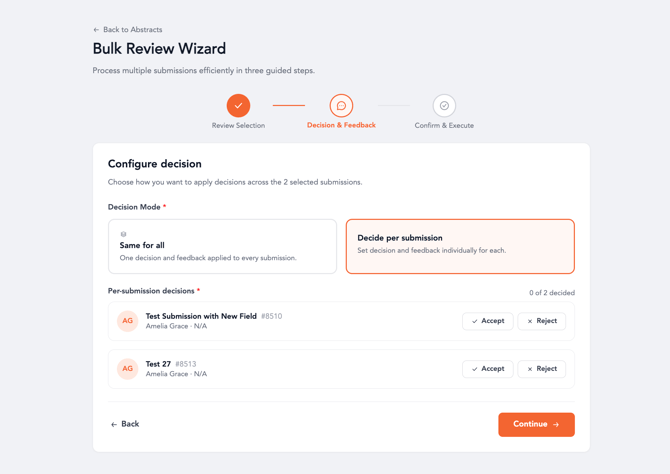
📌 If you choose 'Decide per submission', you will need to accept or reject each submission individually.
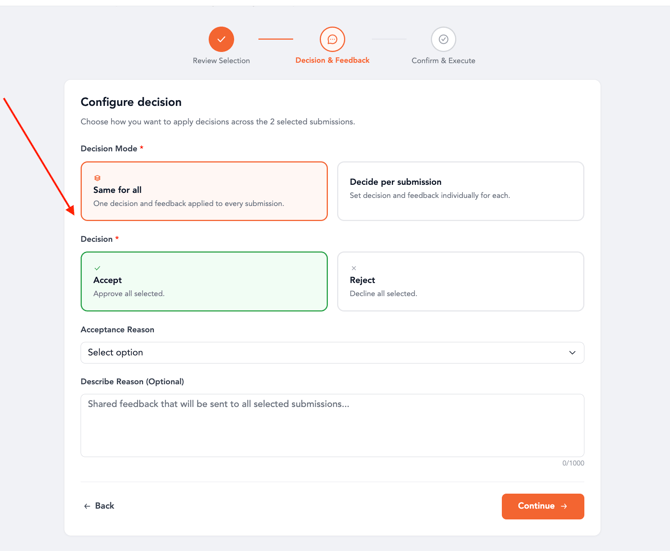
7. If you selected Same for all, choose either Accept or Reject.
Select an Acceptance Reason or Rejection Reason from the dropdown menu, if applicable.
Click Continue to proceed.
8. On the Confirm & execute step, review the summary of your bulk action, including the total number of submissions, the action to be taken, and any reasons or options provided.
Click "Bulk Accept/Reject" to finalize the bulk review.
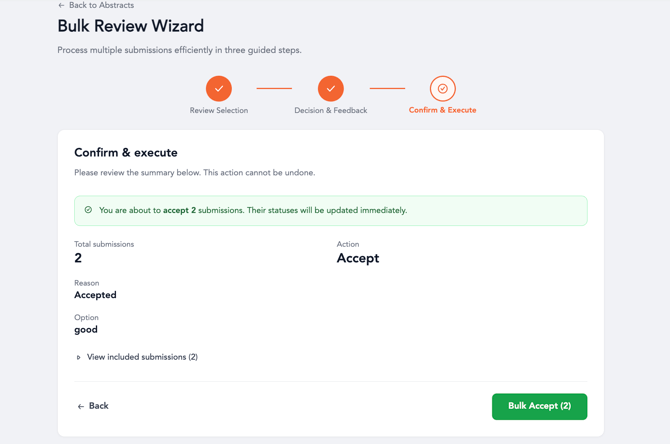
📌 This action cannot be undone and will update the statuses of the submissions immediately.
9. Upon completion of the decisions, the associated individuals which include admins, event owners, submitters, and reviewers will receive emails with the given decisions.
Bulk Review Wizard - Decision Mode
| Field | Description |
|---|---|
| Same for all | Applies one decision (Accept or Reject) and feedback to all selected submissions. |
| Decide per submission | Allows you to set individual decisions (Accept or Reject) and feedback for each selected submission. |
Bulk Review Wizard - Decision Options
| Field | Description |
|---|---|
| Accept | Approves the selected submissions. You can also provide an Acceptance Reason and optional description. |
| Reject | Declines the selected submissions. You can also provide a Rejection Reason and optional description. |