![vfairs-logo-landscape-white-3.png]](https://help.vfairs.com/hs-fs/hubfs/vfairs-logo-landscape-white-3.png?height=40&name=vfairs-logo-landscape-white-3.png)
Enabling Meetings for Exhibitor Portal
To enable the Meetings module on the Exhibitor Portal:
-
Go to the Event Setup on the backend.
-
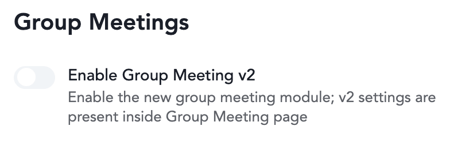
Ensure that the New Group Meeting feature is enabled for the event.
-
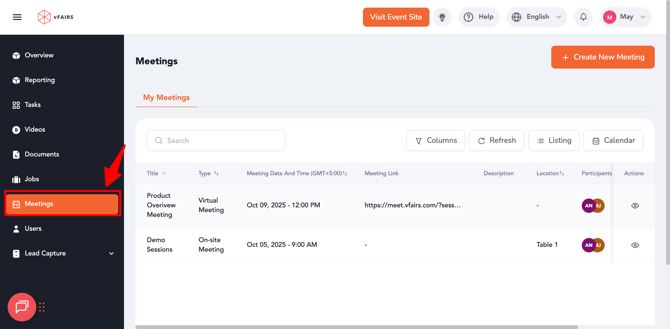
Once enabled, the Meetings menu will automatically appear for both Booth Admins and Booth Representatives in their Exhibitor Portal.
💡 Note: Access to the Meetings module can also be managed through RBAC (Role-Based Access Control) at the organization level.
Using the Meetings Module (Exhibitor Portal)
Once the feature is enabled, exhibitors can perform the following actions from their portal:
How to View the Team Calendar (Exhibitor Portal)
-
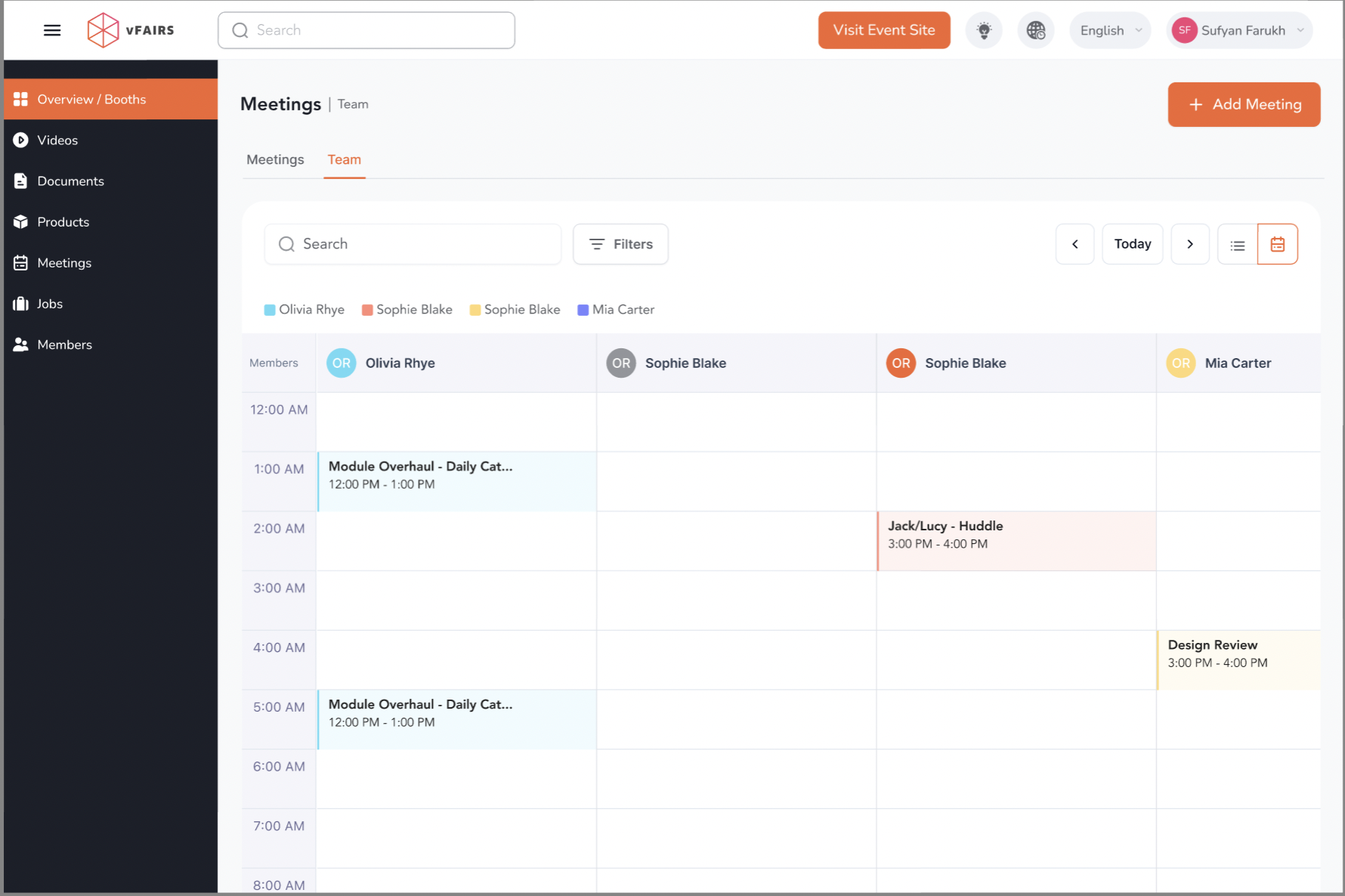
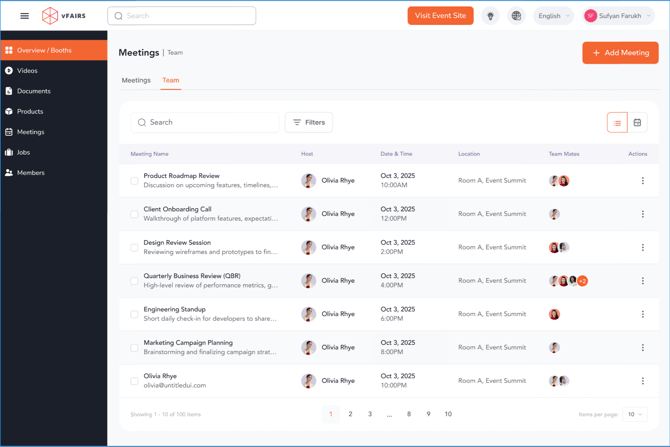
Open the Team Calendar tab.
-
All meetings scheduled for booth team members.
-
Meetings booked with or for any team member.
-
Individual and group meetings displayed in a unified calendar view.
-
Real-time visibility into team availability to avoid scheduling conflicts.