![vfairs-logo-landscape-white-3.png]](https://help.vfairs.com/hs-fs/hubfs/vfairs-logo-landscape-white-3.png?height=40&name=vfairs-logo-landscape-white-3.png)
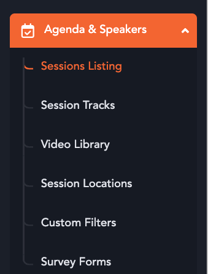
1. Head over to the event's backend and access the "Agenda & Speakers" menu.
2. Click on "Sessions Listing" sub-menu to be redirected to the sessions listing page.
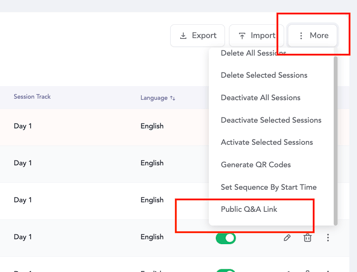
3. Click on the "More" button at the top right hand side of the screen and then the "Public Q&A Link" option.
4. Paste the link copied upon clicking the option to a new browser tab.
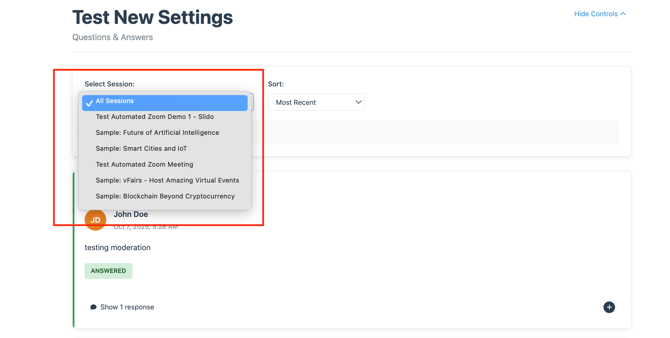
5. The public Q&A page will open up listing down questions posed in all the session Q&A boxes.
- The questions can be filtered per session level.
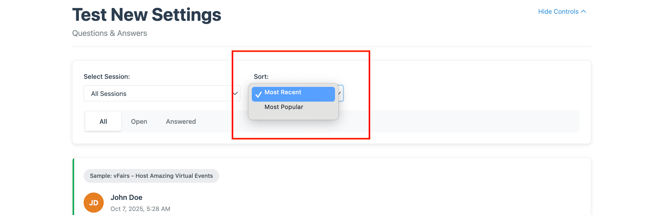
- The filtration can also be applied based on the "Most Recent" or "Most Popular" questions asked.
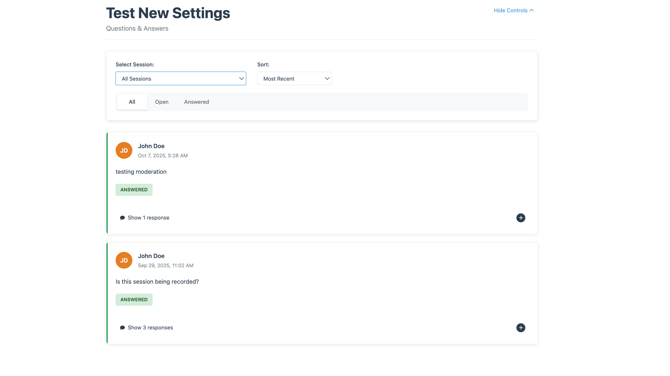
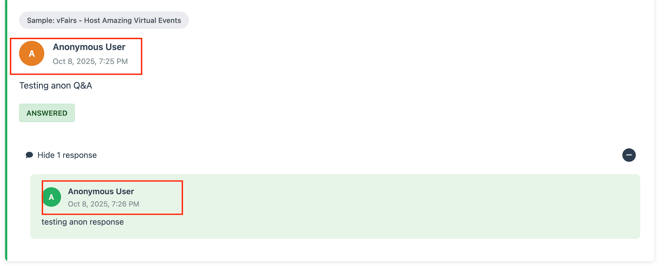
6. If the option to submit and respond to questions anonymously is enabled, those interactions will automatically appear under the name "Anonymous User" on the page.
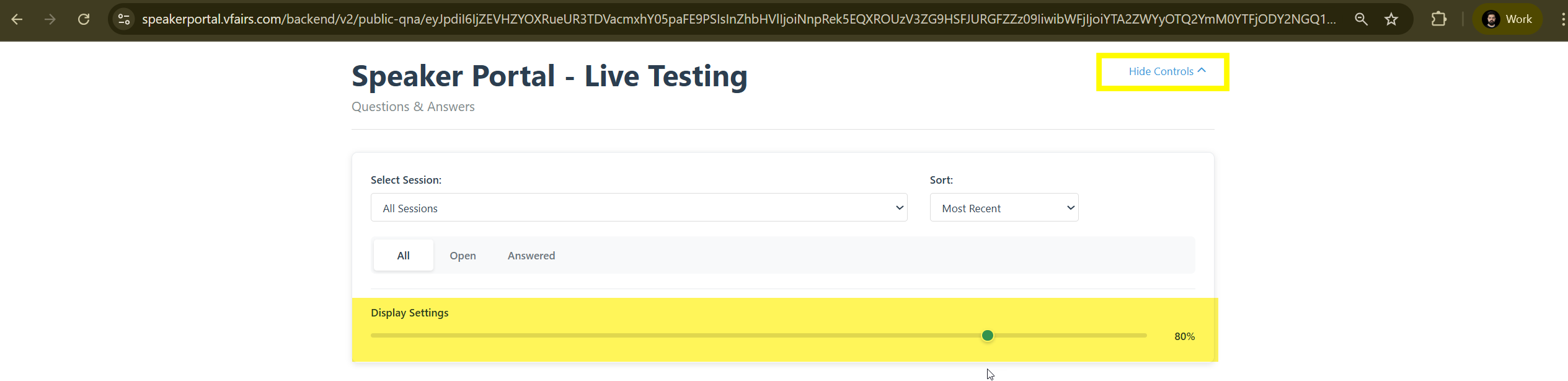
7. The page offers customizable display settings to enhance flexibility and usability.
-
Users can choose to hide the event title and filtering controls for a cleaner, more focused view.
-
The font size can be adjusted to ensure the content is clearly visible and easily readable, especially when displayed on large projector screens.
Note: The timestamps on the questions, along with the timezone label, reflect the event’s default timezone setting.
The questions and responses on the public Q&A page are synchronized in real time. In addition, any actions taken by Q&A moderators, such as hiding or deleting specific questions are reflected instantly on the page without requiring a manual browser refresh.