![vfairs-logo-landscape-white-3.png]](https://help.vfairs.com/hs-fs/hubfs/vfairs-logo-landscape-white-3.png?height=40&name=vfairs-logo-landscape-white-3.png)
-
Navigate to the backend “Agenda & Speakers” section.
-
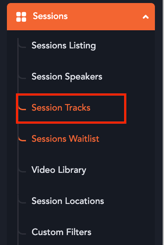
Select the “Session Tracks” sub-menu.
-
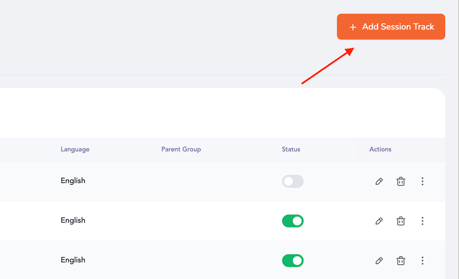
Click “Add Session Track” to create a new session track.
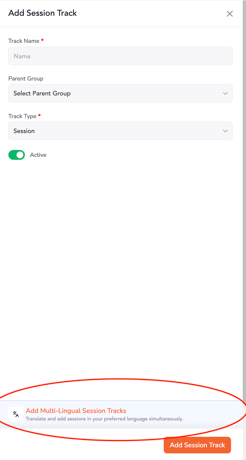
4. Enter the track’s basic details in the default language.
5. Click “Add Multilingual Session Tracks” to add language variants.
6. Fill in the track details for each configured language, then click “Save Translations” followed by “Add Session Track” at the bottom of the drawer.
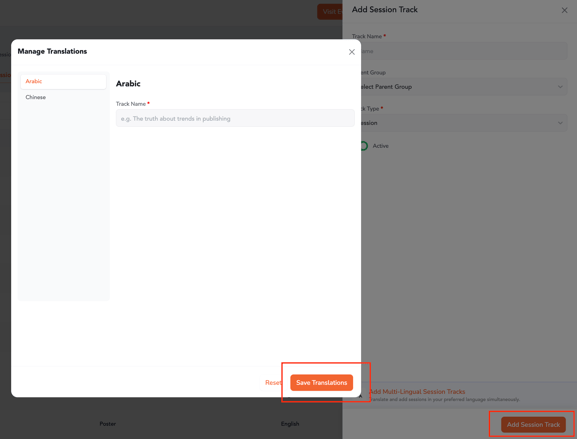
Once completed, the track along with its language variants will be successfully created. Any session assigned to the default language track will automatically link to the corresponding language-specific track variants.