![vfairs-logo-landscape-white-3.png]](https://help.vfairs.com/hs-fs/hubfs/vfairs-logo-landscape-white-3.png?height=40&name=vfairs-logo-landscape-white-3.png)
Step-by-Step Guide:
-
Log in to your backend portal.
-
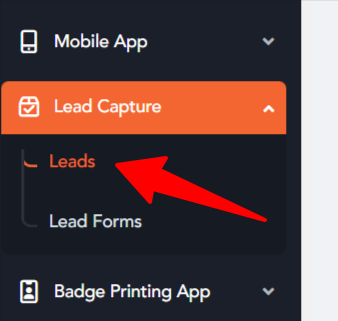
From the left navigation menu, click Lead Capture.
-
Next, click on Leads.
-
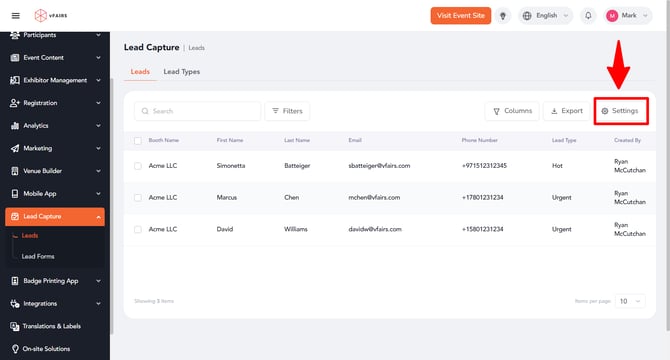
On the Leads Listing screen, click the Settings tab located at the top-right corner of the page.
-
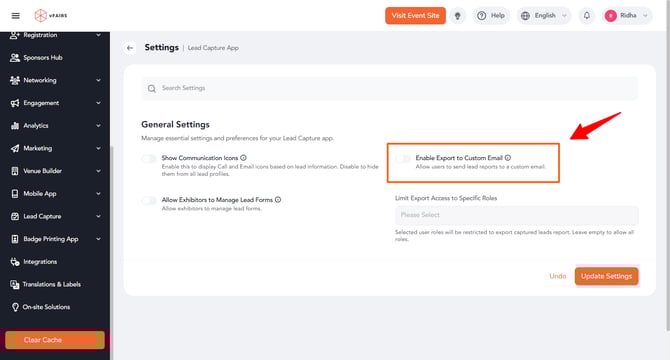
Locate the Allow Export to Custom Email option and enable it.
-
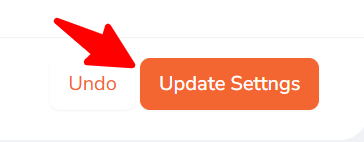
Click Update Settings to save your changes.
After completing these steps, When you go to your lead capture app and click Export, You will get a pop up to add custom email id where you want to export the leads.