![vfairs-logo-landscape-white-3.png]](https://help.vfairs.com/hs-fs/hubfs/vfairs-logo-landscape-white-3.png?height=40&name=vfairs-logo-landscape-white-3.png)
Deleting a booth is a simple process in the backend, and here's how you can do it:
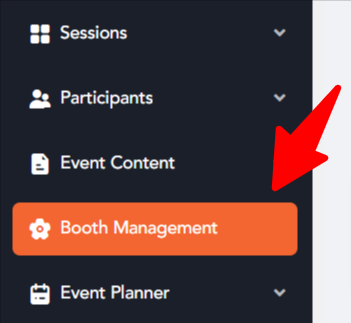
- Navigate to Booth management: Log in to your organizational dashboard. In the left sidebar, click on Booth Management to open the booth listing screen.
- Find the Booth: Scroll through the list to locate the booth you want to delete.
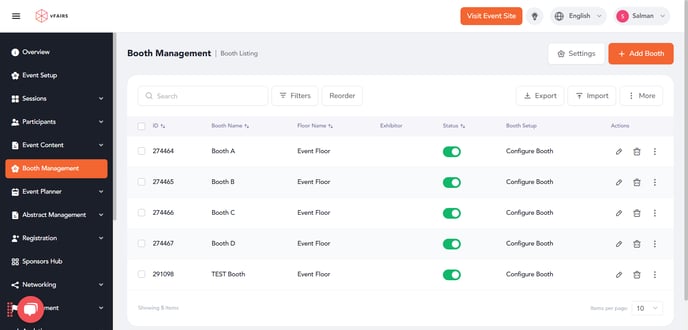
- Delete the Booth: Click the 'Trash' icon next to the booth name.

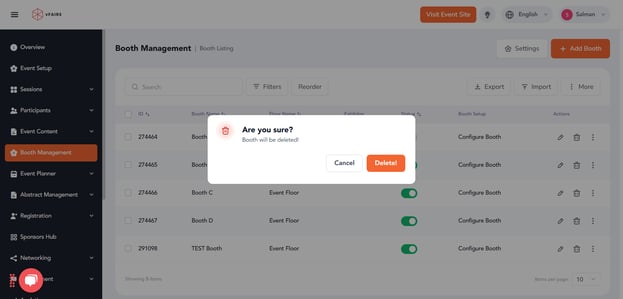
- A confirmation prompt will appear asking if you are sure you want to delete the booth
-
- Confirm Deletion: Click 'Delete' to permanently delete the booth. The booth will be removed from your booth listing and will no longer be visible to event attendees.