![vfairs-logo-landscape-white-3.png]](https://help.vfairs.com/hs-fs/hubfs/vfairs-logo-landscape-white-3.png?height=40&name=vfairs-logo-landscape-white-3.png)
Steps to Generate Group Registration Reports
-
Log in to your vFairs Event Backend
Use your organizer/admin credentials to access the backend. -
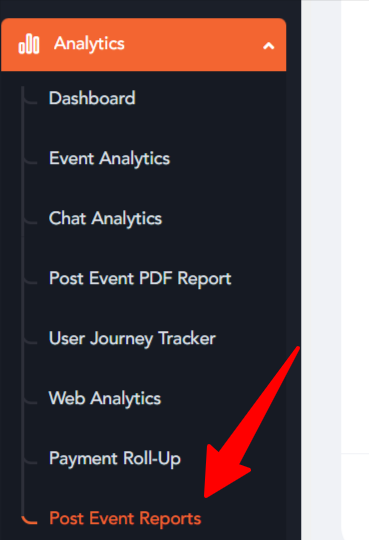
Navigate to Analytics-Post Event Reports
-
In the Report Settings:
-
Report Type: Select "Registrations" from the dropdown.
-
Report Column: Choose "Group Registrations".
-
- Fill in rest of the fields and click the "Generate" button
The system will generate the report and display/export the results based on the selected filters.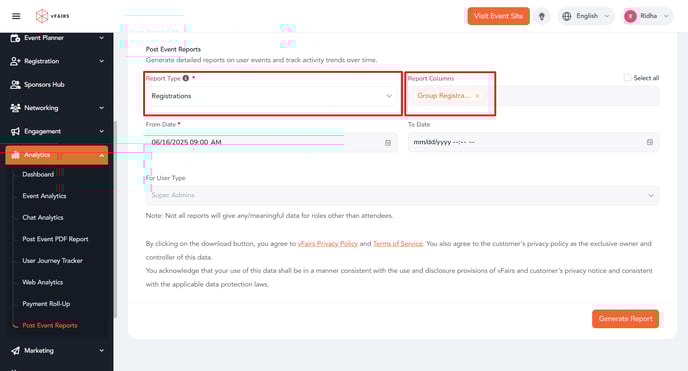
Pro Tips
-
Use narrow date ranges for quicker report generation on large events.
-
Cross-reference with Payment Roll-Up or User Journey Reports for deeper insights.
-
For downloadable reports, use the Export button after generating.