Accessing User Permissions
- Go to your Event Backend.
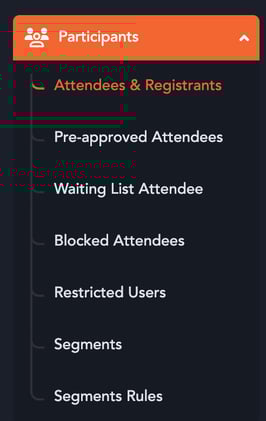
- Navigate to Participants in the left menu.
- Click Settings.
- Open the User Permissions tab.
Enabling First-Time Password Setup
- Locate the toggle:“Require Attendees to Set Password on First Login”
- Enable the toggle.
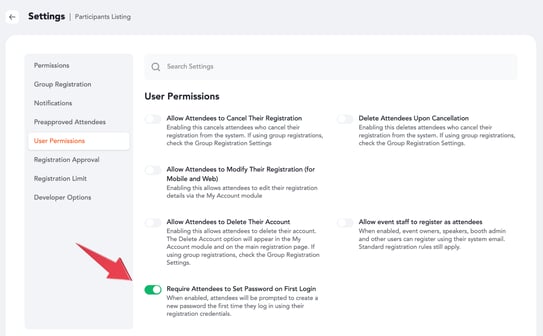
- Click Update Settings
How It Works
- When enabled, attendees will be prompted to create a new password the first time they log in using their registration credentials.
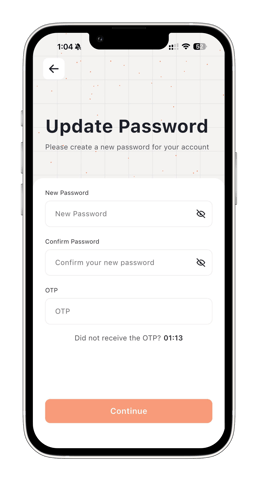
- If attendees had already set a password before this setting was enabled, they will still be required to reset their password on their next login.
This ensures that all attendees use a secure and up-to-date password for accessing the event.