How Swag Bag Works
- Exhibitors can add documents and videos to their booths.
- Organizers can mark selected content to be included in the Swag Bag.
- Attendees can:
- View saved items
- Download files
- Email items to themselves
Additionally, content can be automatically added to a user’s swag bag when they interact with specific booth materials.
How to Add Items to Swag Bag
From Booth Documents/Videos
- Go to Event Backend.
- Navigate to Exhibitor Management → Documents.
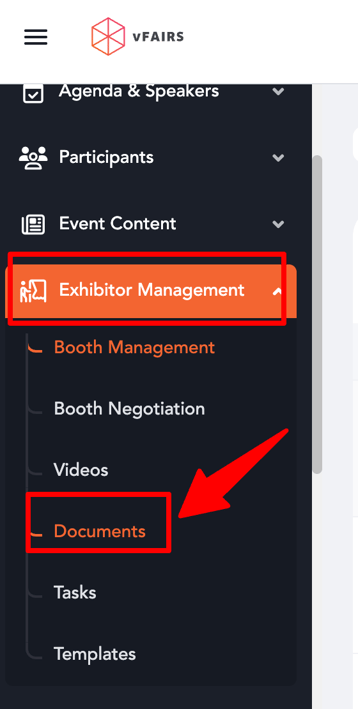
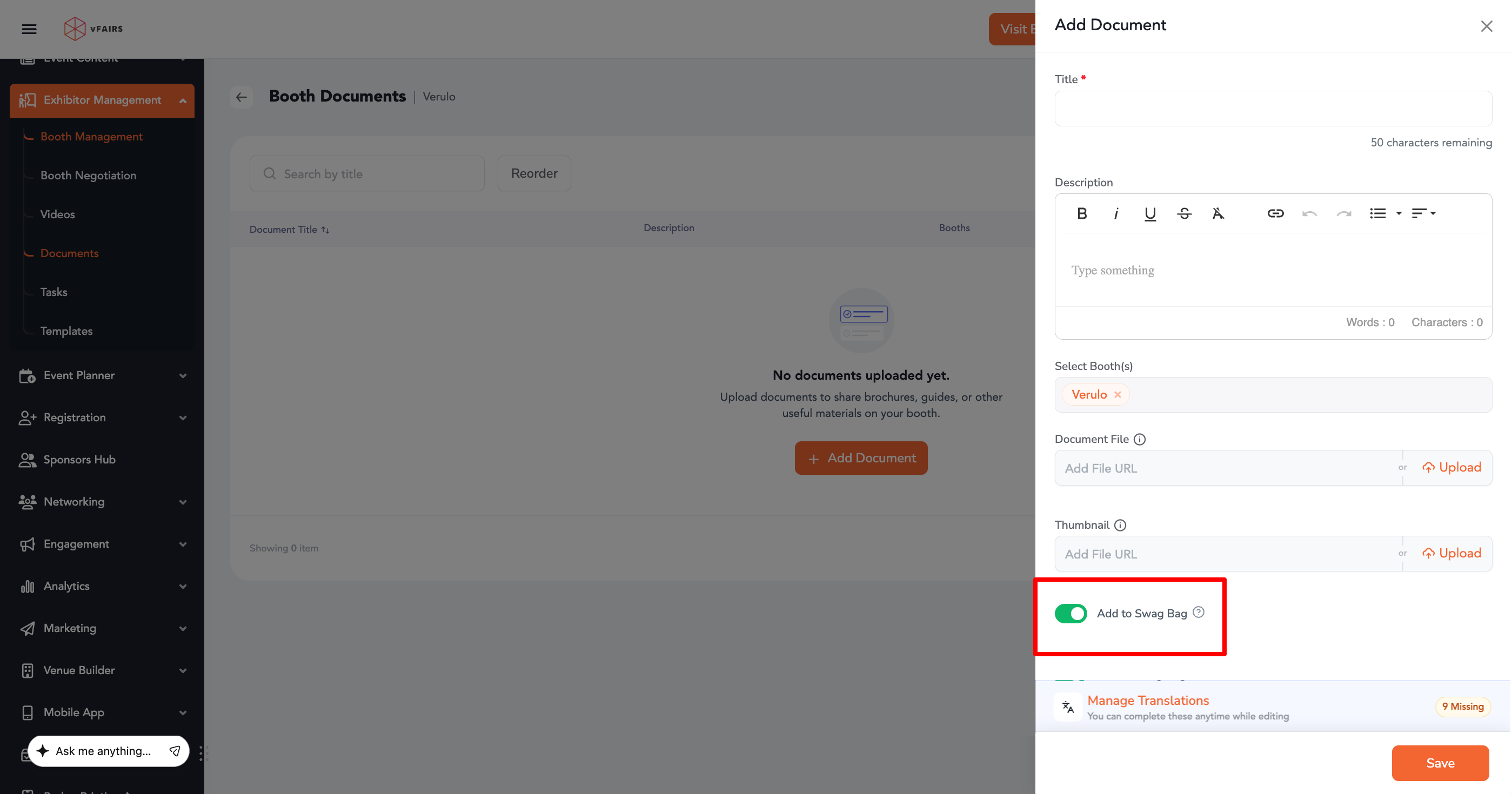
- Click Add Document or edit an existing one.
- Enable the Add Swag Bag toggle.
- Save changes.
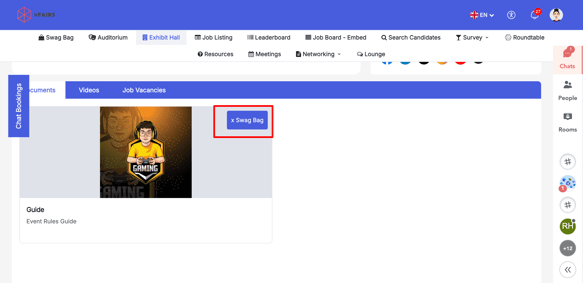
Automatic Swag Bag Addition
- Organizers can configure items to be added to the swag bag when:
- A user visits a booth
- A user interacts with a document or video
This helps increase engagement and ensures attendees don’t miss important content.
Swag Bag Menu (Frontend)
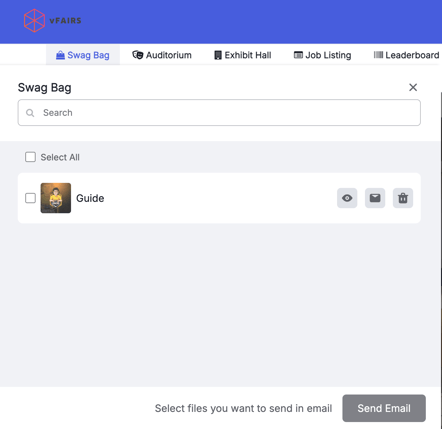
- Organizers can enable a Swag Bag Menu on the event frontend.
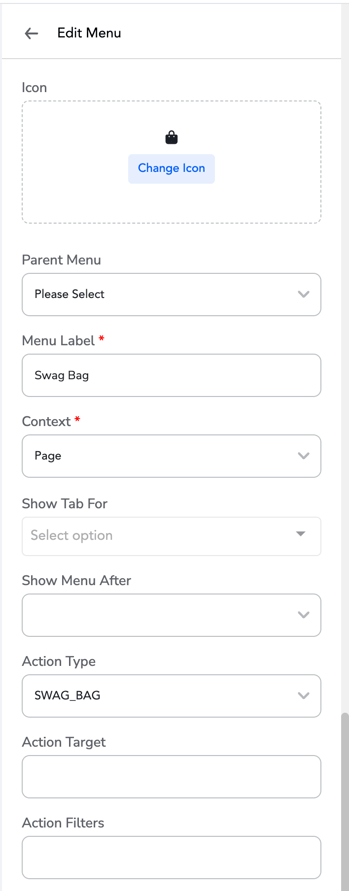
- This menu will display all items added to the swag bag.

What Attendees Can Do
- View all saved resources
- Download documents and files
- Email items to themselves for later access
Use Cases
- Share brochures, catalogs, or presentations
- Provide downloadable marketing materials
- Capture leads through content engagement
- Enhance attendee experience with easy access to resources